


 |
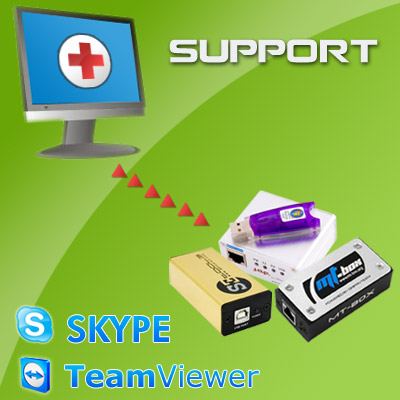
Support service TeamViewer
- Product description
- Delivery cost calculator
- Wholesale orders
- Files to download
- Product safety information
SERVICE IN STANDARD OPTION COMES WITH ALL DEVICES SOLD BY OUR COMPANY FOR FREE. IN CASE OF PROBLEMS CUSTOMER SEND TO US REQUEST WITH PROBLEM DESCRIPTION AND IN 24 HOURS GET REPLY TO PROBLEM WITH SOLUTION TO SOLVE IT

Diffrence beetwen Skype/e-mail support and TeamViewer support ?
By Teamviewer we can connect to yoru PC remotely - then you can see how we diagnose and solve problems, you will see everytihgn that we make on your PC desktop. This it's effecient and great for all users to solve problems fast and easy.
For what I need such service ?
Support service it's not for daily box usage as simlock remove, flashing problems but dedicated for customer who got problems with device installation, registration, support access or problem with running their boxex. Normally such support comes from seller but in case he are no longer available you can buy this from us.
Rules of use:
1) Service are free for our customers for purchased boxes - if you got device purchased from us don't purchase this service since it's free for you. It's dedicated for all other user/sellers who purchase their units elsewhere and now need help.
2) Service are only for devices that are available in our store - we cannot support devices which are not offered by us in our OnLine shop.
3) After service purchase please send us each time your order ID in e-mail - service start in day of first enquiry and counts in calendar days
4) Client are obligated to describe problem as he only cas as also give us required information as:
a) operating system
b) RAM memory
c) software version that he use
d) type of internet connection and speed that he use
e) information about used FIrewall and Antivirus
5) Multi-COM not quarantee to solve problem if it's already know by producer of device/software as a bug and will be fixed by him. We can diagnose and then confirm this. Also if device are mechanicaly demaged we cannot remotely repair this - in some cases we can try to reprogram your Box remotely.
6) Client from his side offer full help and availabity to work with us from 8 to 16 CET - service available are in working days from monday to friday.
7) E-mail answer are 24 hours max - counting only working days - please send request only in one e-mail to help us and avoid answering and anaylising problem few times.
Service contains:
- possibility to get support and answer to your question for purchased devices
- invoice
|
||
NEGOTIATE PRICE

Product placed on the market in the EU before December 13, 2024: YES
Warnings and Safety Guidelines for Software Use
Based on the requirements of Regulation (EU) 2023/988 on General Product Safety (GPSR), we present a list of safety warnings. The purpose is to protect users from potential hazards resulting from improper use of products/devices/software. The warnings are formulated in a simple and understandable way to ensure accessibility for a wide audience, including elderly people and individuals with mobility limitations.
List of hazards and safety precautions for software use
1. Risk of data loss or system damage
* Hazard: improper installation, deletion of system files, or lack of backups.
* Precautions: always perform regular backups; install software only from trusted sources.
2. Exposure to cyberattacks (viruses, malware)
* Hazard: downloading files from unverified websites, lack of antivirus protection.
* Precautions: use up-to-date antivirus programs, avoid opening suspicious email attachments, enable automatic updates.
3. Hardware overload and overheating
* Hazard: intensive software use (e.g., graphics processing, floating-point calculations, BF) may lead to device overheating.
* Precautions: use the device in a well-ventilated area, do not cover ventilation openings. If overheating occurs – turn off the device and wait several minutes for it to cool down.
4. Risk of electric shock and cuts (indirect)
* Hazard: although software itself poses no physical risk, improper use of computer equipment (e.g., touching cables in a damp environment) while using programs can be hazardous.
* Precautions: never operate computer devices with wet hands, avoid working in damp rooms, and regularly check cables and casings.
5. Health risks from prolonged use
* Hazard: eye strain, back pain, wrist and shoulder discomfort caused by long hours of computer work using office software.
* Precautions: take regular breaks every 45–60 minutes, use an ergonomic chair and keyboard, and position the monitor at eye level.
6. Dangers for children and inexperienced users
* Hazard: children may accidentally download harmful programs or share personal data.
* Precautions: enable parental controls, do not leave children unattended at the computer, and educate them about safe online behavior.
7. Problems in high-humidity or high-temperature environments
* Hazard: using software in high-temperature conditions (e.g., laptop on the lap in direct sunlight) or in humid environments (e.g., kitchen, bathroom) can cause hardware failure and indirect user risks.
* Precautions: use the equipment in suitable climate conditions, avoid using it near heat sources or in high-humidity areas.
8. Risks related to maintenance and updates
* Hazard: lack of software updates may create security vulnerabilities – unskilled attempts to modify the system may result in data loss.
* Precautions: always install official updates; do not modify system files without technical knowledge. Use authorized service support.
Importance of Following Warnings
Adhering to the above warnings minimizes the risk of bodily injury, equipment failure, and material loss. Ignoring these recommendations may lead to serious health and property hazards. Ensure your safety and that of others by following the indicated precautions. Detailed warnings or safety information about the product can be found in the user manual included with the product or available as a PDF on the manufacturer’s/supplier’s website.
See also
 + |
Access to mt-box.org
more
|
|
 + |
Re-new access to furiousgold.com
more
|
|
Note
1. Offered by us accessories and replacement parts are not original phone producer parts, but they have been carefully choosen from list of producers to offer highest quality.
2. Our company sale only hardware/HASP/Box - not software for it. Software can be found and downloaded directly from producers webpage.
3. All trademarks mentioned on this site are property of their respective companies. Including product names, logos, commercial symbols, trade names and slogans are trademarks of those respective or related companies, and are protected by international trademark laws, and they are used here only for information purpose.


