


|
Main page > Maintenance Services // Code read (PIN, Pattern) > Removal of the lock code on your phone with OTG based on Android 5, 6, 7, 8
|
 |
Reading the PIN / BackupPIN / Pattern Lock code in phones is a non-invasive service, which means that the phone does not need to have USB debugging or developer mode enabled - we do not make any changes to the phone, i.e. we do not disassemble it, do not interfere with data and do not upload Recovery.
Removal of the lock code on your phone with OTG based on Android 5, 6, 7, 8
- Product description
- Delivery cost calculator
- Wholesale orders
- Files to download
- Product safety information
Supported operating systems
Android 5.x.x
Android 6.x.x
Android 7.x.x
Android 8.x.x
Advantages and disadvantages of (+/-) when reading code using BruteForce
+ no root (we do not upload Custom Recovery exposing the device to damage)
+ without enabling USB debugging or ADB
+ without unlocking the bootloader
+ without KNOX flag, which will void the warranty
- restrictions on the phone models - must have OTG
Deadlines and method of the service:
To process service please fill form - Application form which you will attach to shiped device and determine how to deliver the device. There are two possibilities:
The standard term of service is from 1 to 7 working days from receipt of the unit to our company and acceptance of order. Express is agreed individually depending on the type of attack and takes from 24 hours to 3 days (extra charge + 50%).
Frequently Asked Questions (FAQ):
Question: Who is the service dedicated to?
Answer: Dedicated to people who have inadvertently code themselves and do not remember it, and have important photos / data on the phone - in this situation, the phone is the most important, but the access to files is not important.
Question: I have a phone in which the Pattern code is installed but I do not know what is the length - what to do?
Answer: In this situation, it does not matter because the code is removed and we do not read it
Question: You offer to read phone that got OTG - how to check whether the phone got OTG and what is it?
Answer: OTG, which is simply the mode USB On-The-Go, is a kind of USB connector, which is used in devices such as phones and tablets that allows you to connect peripherals such as a mouse, keyboard . Information about OTG in your phone, you can check at manufacturer's specifications or in the instruction manual - if you don’t have such you can obtain a special adapter OTG and connect through it mouse or keyboard - if the device is detected this indicates that the phone supports OTG.
Question: The phone does not have OTG - is there a chance to read the code without opening, downloading anything to your computer?
Answer: Contact us with e-mail
Question: Why U.S ?
Answer:Thanks to almost 20 years of experience in the GSM and electronics industry, we can immodestly say that we know everything about phones. Usually, we get phones, at which others "spread" their hands - from the oldest models to the latest ones.
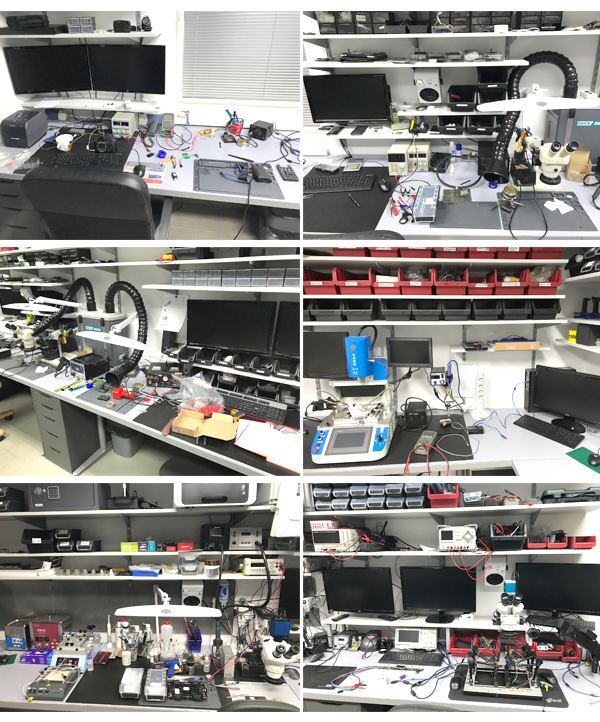
Question:What tools do we use?
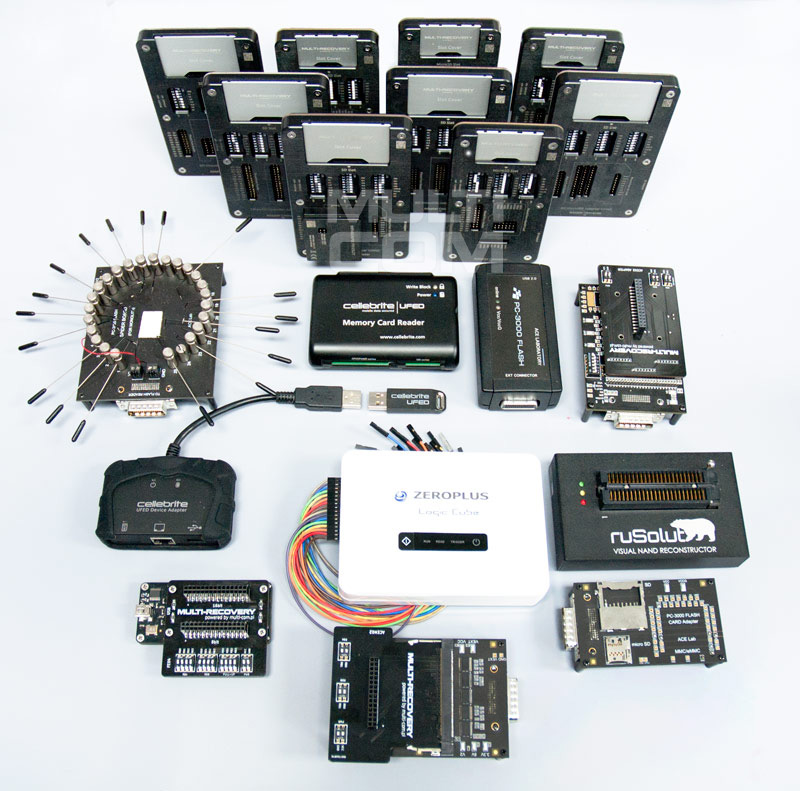
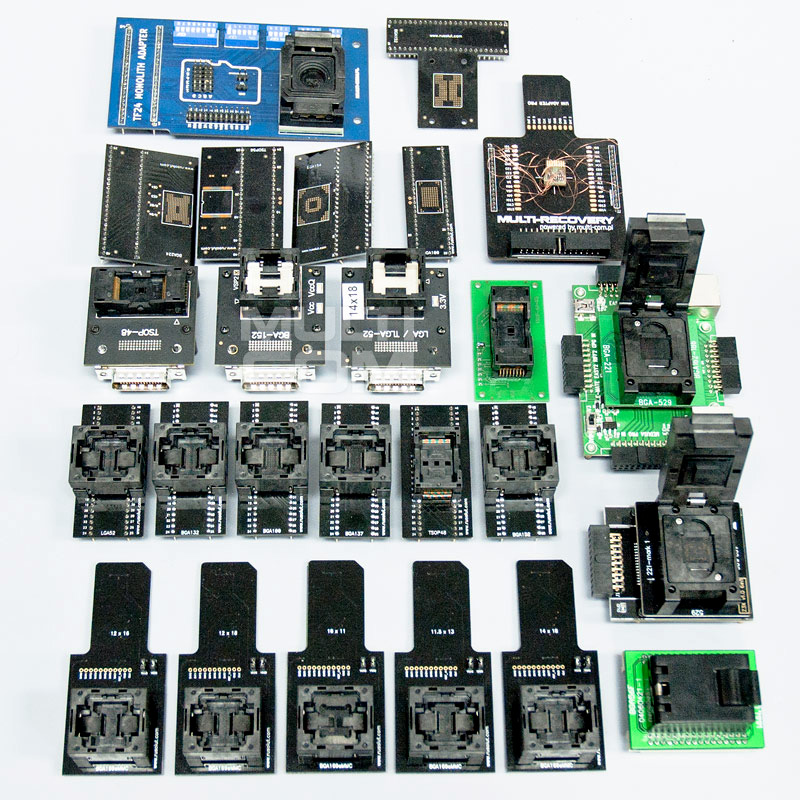
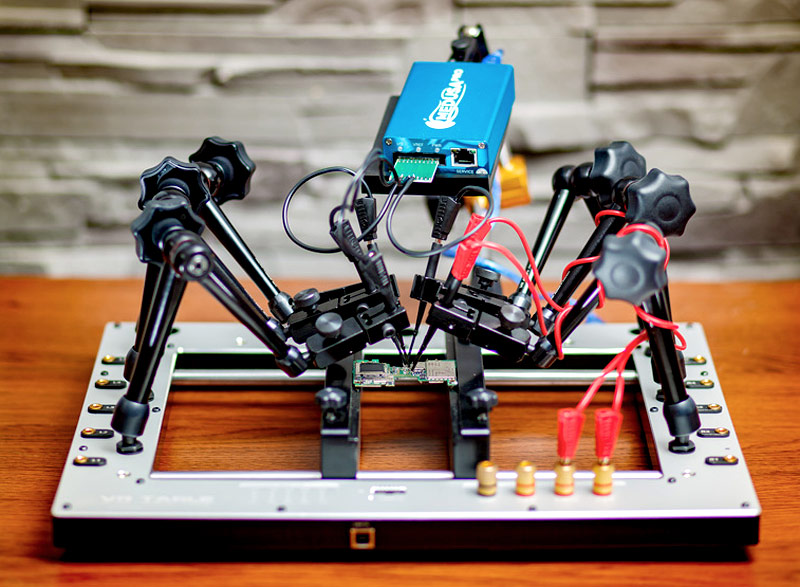
Answer: For repairs we use the latest extraction methods using the original / licensed software and hardware - Cellebrite UFED PA / 4PC, Rusolut Visual NAND Reconstructor (VNR), VR-Table, Oxygen Detective, PC3000 Flash and specialized software for mySQL databases, service boxes and of course own Python scripts.
|
||
NEGOTIATE PRICE

Product placed on the market in the EU before December 13, 2024: YES
Warnings and Safety Guidelines for Software Use
Based on the requirements of Regulation (EU) 2023/988 on General Product Safety (GPSR), we present a list of safety warnings. The purpose is to protect users from potential hazards resulting from improper use of products/devices/software. The warnings are formulated in a simple and understandable way to ensure accessibility for a wide audience, including elderly people and individuals with mobility limitations.
List of hazards and safety precautions for software use
1. Risk of data loss or system damage
* Hazard: improper installation, deletion of system files, or lack of backups.
* Precautions: always perform regular backups; install software only from trusted sources.
2. Exposure to cyberattacks (viruses, malware)
* Hazard: downloading files from unverified websites, lack of antivirus protection.
* Precautions: use up-to-date antivirus programs, avoid opening suspicious email attachments, enable automatic updates.
3. Hardware overload and overheating
* Hazard: intensive software use (e.g., graphics processing, floating-point calculations, BF) may lead to device overheating.
* Precautions: use the device in a well-ventilated area, do not cover ventilation openings. If overheating occurs – turn off the device and wait several minutes for it to cool down.
4. Risk of electric shock and cuts (indirect)
* Hazard: although software itself poses no physical risk, improper use of computer equipment (e.g., touching cables in a damp environment) while using programs can be hazardous.
* Precautions: never operate computer devices with wet hands, avoid working in damp rooms, and regularly check cables and casings.
5. Health risks from prolonged use
* Hazard: eye strain, back pain, wrist and shoulder discomfort caused by long hours of computer work using office software.
* Precautions: take regular breaks every 45–60 minutes, use an ergonomic chair and keyboard, and position the monitor at eye level.
6. Dangers for children and inexperienced users
* Hazard: children may accidentally download harmful programs or share personal data.
* Precautions: enable parental controls, do not leave children unattended at the computer, and educate them about safe online behavior.
7. Problems in high-humidity or high-temperature environments
* Hazard: using software in high-temperature conditions (e.g., laptop on the lap in direct sunlight) or in humid environments (e.g., kitchen, bathroom) can cause hardware failure and indirect user risks.
* Precautions: use the equipment in suitable climate conditions, avoid using it near heat sources or in high-humidity areas.
8. Risks related to maintenance and updates
* Hazard: lack of software updates may create security vulnerabilities – unskilled attempts to modify the system may result in data loss.
* Precautions: always install official updates; do not modify system files without technical knowledge. Use authorized service support.
Importance of Following Warnings
Adhering to the above warnings minimizes the risk of bodily injury, equipment failure, and material loss. Ignoring these recommendations may lead to serious health and property hazards. Ensure your safety and that of others by following the indicated precautions. Detailed warnings or safety information about the product can be found in the user manual included with the product or available as a PDF on the manufacturer’s/supplier’s website.
You might also be interested in:
 + |
Read lock code from third party applications in device with OTG - based on Android 4.x.x/5.x.x/6.x.x
more
|
Price:
129.00 EUR w/o VAT |
 + |
Reading screen lock code (PassCode) on iPhone 4S/5/5C/6/6S/7 and Ipad
more
|
Price:
229.00 EUR w/o VAT |
 + |
Read PIN code from device with OTG - based on Android 4.x.x / 5.x.x
more
|
Price:
129.00 EUR w/o VAT |
 + |
Read Pattern Lock code from phone with OTG - based on Android 4.x.x / 5.x.x
more
|
Price:
129.00 EUR w/o VAT |
 + |
Reading screen lock code (PassCode) on Apple devices running iOS 7.x.x
more
|
Price:
199.00 EUR w/o VAT |
 + |
Read PIN/BackUP PIN code from from device without OTG - based on Android 4.x.x/5.x.x
more
|
Price:
129.00 EUR w/o VAT |
 + |
Read PIN/BackupPIN/Pattern Lock code from phone based on MediaTek (MTK) i SPD processors
more
|
Price:
229.00 EUR w/o VAT |
 + |
Read PIN/Pattern Lock from Android 6.x (JTAG/eMMC)
more
|
Price:
129.00 EUR w/o VAT |
This product was bought most often with:
 + |
Data Recovery from SD / microSD
more
|
Price:
99.00 EUR w/o VAT |
 + |
Reading the screen lock code (PIN / Pattern) on a Huawei phone
more
|
Price:
169.00 EUR w/o VAT |
Note
1. Offered by us accessories and replacement parts are not original phone producer parts, but they have been carefully choosen from list of producers to offer highest quality.
2. Our company sale only hardware/HASP/Box - not software for it. Software can be found and downloaded directly from producers webpage.
3. All trademarks mentioned on this site are property of their respective companies. Including product names, logos, commercial symbols, trade names and slogans are trademarks of those respective or related companies, and are protected by international trademark laws, and they are used here only for information purpose.


