


 |
UFS microHWK Saras
- Product description
- Delivery cost calculator
- Wholesale orders
- Files to download
- Product safety information
We are general distributor for UFS - not only resseler. Our Tornado Box are 100% Original and already Activated so it is guaranteed to work on newer Tornado by SARAS software. Each customer will recive unique access to http://www.ufsxsupport.com page for all future upgrades.
SPECIAL PROMOTION !!!
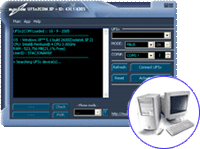
Now to each UFS bought from our company we add UFSx2COM software for free. UFSx2COM UFS Virtual COM Port was designed to use with UFS SarasSoft Series boxes. e.g UFS2,UFS3 Tornado/Excalibur,Twister,NBOX and PowerFlasher also tested to be worked on UFS Clone. THis software created virtual COM port that can be used in any Windows used softwares (for data transfer, synchrozniation, simlock remove, flashing etc.) with speed up to 1 Mbit/s (921600 kb/s max). You can use existing cables from FREIA to flash any Siemens phones by SWUP flasher. Check more about UFSx2COM
Supported models:
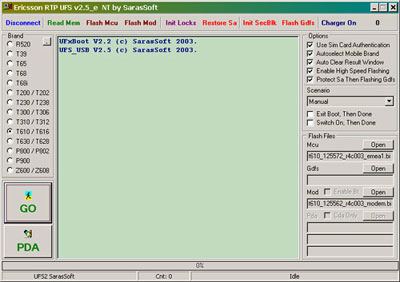
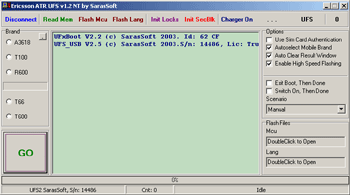
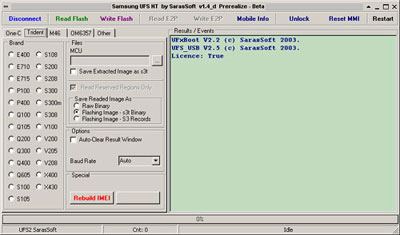
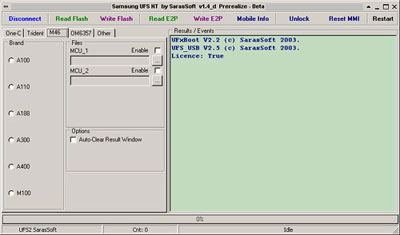
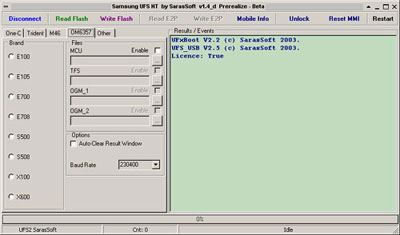
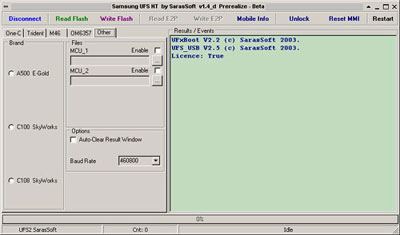

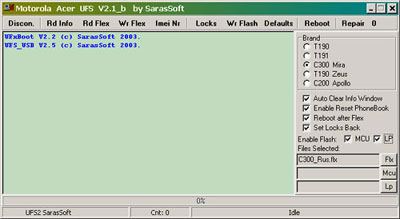
Suppotred SonyEricsson phones by using HWK:
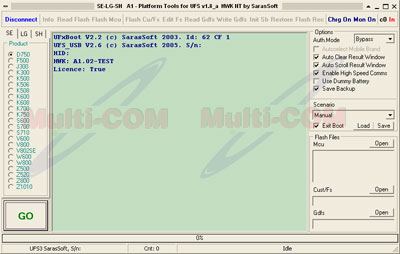
- Unlock/Read user code
- Flash/Repair and change language packs
- Flash Customisation/fs
- Read/Write GDFS zone
- Decustomization
- Reset total call timer
- Repair damaged gdfs area
- Change band locks
- Edit File System
- Flash Recovery of dead products
- Restore Security area
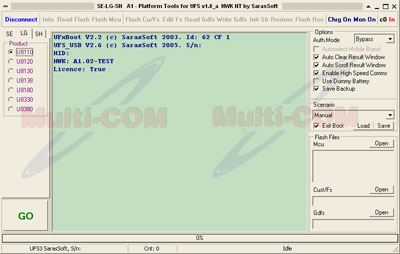
- Unlock all current versions
- Flash/Repair
- Repair fully damaged gdfs and filesystem
- Read/write gdfs
- Flash Recovery of dead products
Suppotred Sharp phones by using HWK:
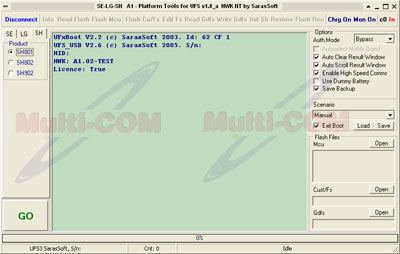
- Unlock/Repair/Flash all versions
- Change languages
- Read/Write GDFS zone all parameters (e.g. security, battery, calibration, et.c)
- Read data
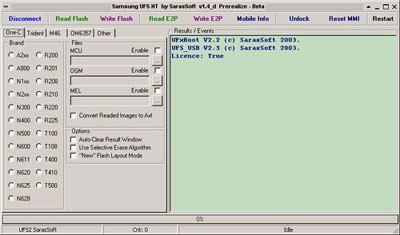
Enable new features on old Samsung software with HWK:
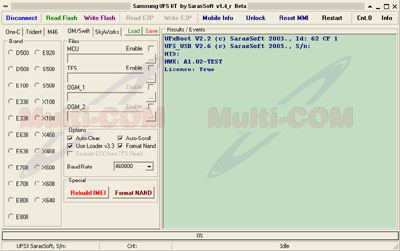
- Unlock all current versions
- Flash/Repair firmware
- change language in phone
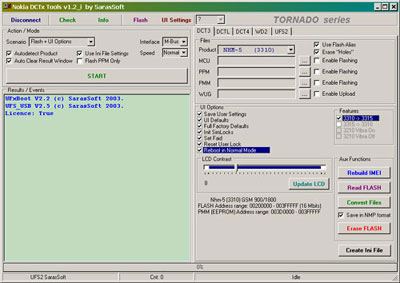
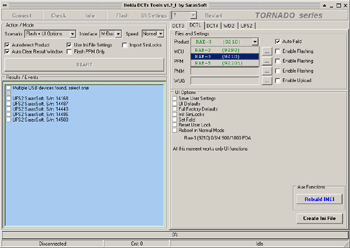
>Enable new features on Nokia software with HWK:
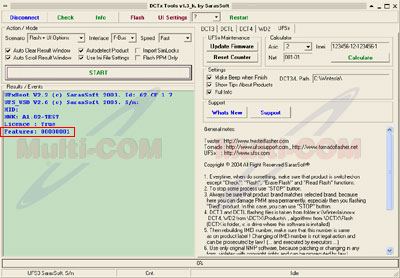
- Flash Flashing - "00000001 key is activated"
About device:
Features:
- read/write flash
- unlock SP simlocks
- rebuild / repair IMEI
- Save User Settings
- set UI Defaults
- reset User Code
- set LCD Contrast
- Convert FLS->Nokia
- Convert Nokia->FLS files
- write virgin eeprom FLS
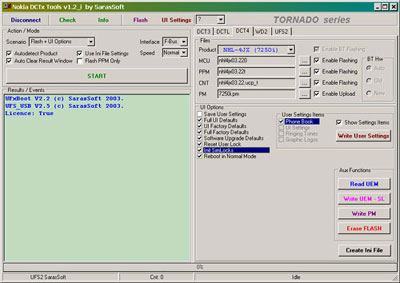
- flash software (upgrade/downgrade)
- unlock SP simlocks
- Rebuild IMEI
- flash Bluetooth
- Save User Settings
- Full UI Defaults
- UI Factory Defaults
- Full Factory Defaults
- Software Upgrade Defaults
- reset User Lock (Security code)
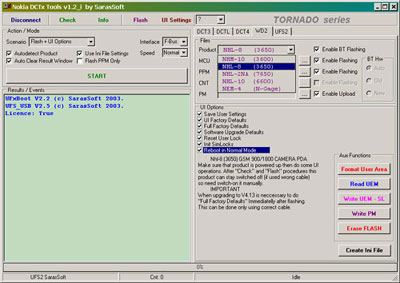
- flash softrware (upgrade/downgrade)
- unlock
- set FAID
- rebuild IMEI
- set UI Defaults
- Upgrade Software versions
- Remove all SIM-locks
- Reset phonelock
- Full Factory-Reset
- Read and write EEproms
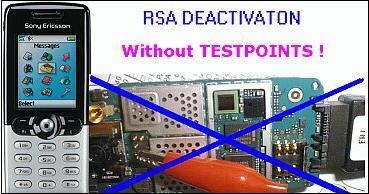
- remove simlock/flash/repair newest phones with RSA algorythm without opening phone/tespoint's !
- check status of RSA in phones
- flash mcu part
- flash modem part
- unlock user lock
- unlock SP lock
- repair IMEI
- restore security area
- write GDFS
- empty board flashing
- PDA FLASHING (full/part P800 & P900)
- Upgrade Software versions
- Upload any language packs to any model
- Supports all known versions
- Supports Asia and Euro origin handsets
- Fix "Illegal software loaded"
- Fix "Tamper Alert"
- Remove all SIM-locks
- Reset phonelock to 1234
- Full Factory-Reset
- Re-Lock to network
- Activate diffrent language packs
- Activate additional menu items
- Activate different logos
- Repair IMEI : T190, T191, C300
Komplet zawiera:
IF YOU BUY WITH CABLE SET YOU WILL GET 189 PCS FOLLOWIGN CABLES:
- cable for Nokia 2050 USB
- cable for Nokia C1-01 USB
- cable for Nokia 6600
- cable for Nokia 6111
- cable for Nokia 6800
- cable for Nokia 2650
- cable for Nokia 3300
- cable for Nokia 6234
- cable for Nokia 3050 USB
- cable for Nokia E63
- cable for Nokia 2600
- cable for Nokia 206 USB
- cable for Nokia GAGE QD
- cable for Nokia 1050
- cable for Nokia 1100
- cable for Nokia x1-00
- cable for Nokia 7200
- cable for Nokia 1202
- cable for Nokia 1616
- cable for Nokia 1650
- cable for Nokia 1680C
- cable for Nokia 2100
- cable for Nokia 2220s
- cable for Nokia 2330C
- cable for Nokia 2600C
- cable for Nokia 2630
- cable for Nokia 2680S
- cable for Nokia 2710 USB
- cable for Nokia 2720
- cable for Nokia 2730C
- cable for Nokia 2760
- cable for Nokia 3120C
- cable for Nokia 3200
- cable for Nokia 3208
- cable for Nokia 3220
- cable for Nokia 3230
- cable for Nokia 3250
- cable for Nokia 3310
- cable for Nokia 3555B
- cable for Nokia 3600s
- cable for Nokia 3610F
- cable for Nokia 3650
- cable for Nokia 3710A
- cable for Nokia 3720C
- cable for Nokia 5100
- cable for Nokia 5130XM
- cable for Nokia 5140
- cable for Nokia 5220XM
- cable for Nokia 5230
- cable for Nokia 5300
- cable for Nokia 5310XM
- cable for Nokia 5330
- cable for Nokia 5500
- cable for Nokia 5530XM
- cable for Nokia 5610
- cable for Nokia 5630XM
- cable for Nokia 5700
- cable for Nokia 5800d
- cable for Nokia 6060
- cable for Nokia 6100
- cable for Nokia 6101
- cable for Nokia 6110N
- cable for Nokia 6125
- cable for Nokia 6131
- cable for Nokia 6170
- cable for Nokia 6208
- cable for Nokia 6210N
- cable for Nokia 6210s
- cable for Nokia 6220C
- cable for Nokia 6230
- cable for Nokia 6233
- cable for Nokia 6260
- cable for Nokia 6260s
- cable for Nokia 6267
- cable for Nokia 6270
- cable for Nokia 6280
- cable for Nokia 6290
- cable for Nokia 6300
- cable for Nokia 6303
- cable for Nokia 6303ci
- cable for Nokia 6500C
- cable for Nokia 6500S
- cable for Nokia 6555
- cable for Nokia 6600F
- cable for Nokia 6600s
- cable for Nokia 6630
- cable for Nokia 6650
- cable for Nokia 6650D
- cable for Nokia 6680
- cable for Nokia 6700
- cable for Nokia 6700S
- cable for Nokia 6710s
- cable for Nokia 6720
- cable for Nokia 6730
- cable for Nokia 6790S
- cable for Nokia 6820
- cable for Nokia 7020 USB
- cable for Nokia 7070D
- cable for Nokia 7100S
- cable for Nokia 7210
- cable for Nokia 7210c
- cable for Nokia 7230
- cable for Nokia 7310C
- cable for Nokia 7370
- cable for Nokia 7390
- cable for Nokia 7500
- cable for Nokia 7510S
- cable for Nokia 7600
- cable for Nokia 7610
- cable for Nokia 7710
- cable for Nokia 8310
- cable for Nokia 8600
- cable for Nokia 8800
- cable for Nokia 8800E
- cable for Nokia 8910
- cable for Nokia 9300
- cable for Nokia 9500
- cable for Nokia GAGE
- cable for Nokia C1-00 USB
- cable for Nokia C3-00 USB
- cable for Nokia C5-00
- cable for Nokia C6-00
- cable for Nokia E5-00
- cable for Nokia E50
- cable for Nokia E51
- cable for Nokia E52
- cable for Nokia E60
- cable for Nokia E61
- cable for Nokia E61I
- cable for Nokia E65
- cable for Nokia E66
- cable for Nokia E70
- cable for Nokia E71
- cable for Nokia E72
- cable for Nokia E75
- cable for Nokia E90
- cable for Nokia EFII
- cable for Nokia EFIII
- cable for Nokia N6085
- cable for Nokia N70
- cable for Nokia N71
- cable for Nokia N73
- cable for Nokia N75
- cable for Nokia N76
- cable for Nokia N77
- cable for Nokia N78
- cable for Nokia N79
- cable for Nokia N80
- cable for Nokia N81
- cable for Nokia N82
- cable for Nokia N85
- cable for Nokia N90
- cable for Nokia N900
- cable for Nokia N91
- cable for Nokia N92
- cable for Nokia N93
- cable for Nokia N93I
- cable for Nokia N95
- cable for Nokia N95 8G
- cable for Nokia N96
- cable for Nokia N97
- cable for Nokia N97 MINI
- cable for Nokia X2-00 USB
- cable for Nokia X3-00
- cable for Nokia X3-02
- cable for Nokia X5-01
- cable for Nokia X6-00
- cable for Nokia C2-01
- cable for Nokia C3-01
- cable for Nokia C6-01
- cable for Nokia C5-03
- cable for Nokia N8
- cable for Nokia 101
- cable for Nokia 500
- cable for Nokia 700
- cable for Nokia X7
- cable for Nokia E6-00
- cable for Nokia T7
- cable for Nokia 603
- cable for Nokia 300
- cable for Nokia 303
- cable for Nokia c7-00 USB
- cable for Nokia 200 USB
- cable for Nokia E7 USB
- cable for Nokia X2-01 USB
- cable for Nokia 110 USB
- cable for Nokia C2-02 USB
- cable for Nokia c2-00 USB
- cable USB
Warranty
To this product we offer 6 months of warranty
|
||
NEGOTIATE PRICE

Product placed on the market in the EU before December 13, 2024: YES
Safety Warnings and Usage Guidelines
Based on the requirements of Regulation (EU) 2023/988 on General Product Safety (GPSR), we present a list of safety warnings. The aim is to protect users from potential hazards resulting from improper use of products/devices.
1. General Safety Measures
* Use the device only in accordance with its intended purpose and the manufacturer's instructions.
* Before first use, read the user manual carefully.
Hazards for children:
* Keep the product/device out of reach of children. Children are unable to assess existing risks.
2. Mechanical Hazards
* Check that all components are properly assembled before operating the device.
* Avoid using tools that may damage the product or contribute to its damage. Do not modify the product: do not open/disassemble it!
3. Electrical Hazards
* Connect only to a socket with the appropriate voltage, in accordance with the manufacturer’s requirements.
* Improper handling of products powered by mains voltage may result in fatal electric shock! If the product and/or the connection cable are damaged, do not touch them; there is a risk of fatal electric shock! Never use the device if the power cord is damaged, frayed, or cut. Avoid touching the power cord or plug with wet hands.
* Product with a separate power supply: before connecting the device to a plug-in or external power supply, ensure that the voltage, polarity (plus/+ and minus/-), and plug dimensions (e.g., inner/outer diameter) match the device.
* Product with a mains plug: the power outlet used for connection must be located near the product and easily accessible. Always unplug the power cord by pulling the plug, not the cable.
* Product with a power cord: the power cable must not be pinched, bent, or damaged by sharp edges. Do not place any objects on the power cord or step on it. The cable should always be arranged carefully to prevent tripping.
* Product intended for soldering: use only appropriate electronic solder and an electronic soldering iron. The soldering process should be performed quickly to avoid overheating and possible damage to the product.
4. Usage Precautions
* Place the product on a stable, flat surface to prevent it from tipping over.
* Always maintain sufficient space around the device (as recommended by the manufacturer) to ensure proper ventilation.
* The operation of certain products (e.g., machines or tools) requires the use of personal protective equipment to minimize health or other risks. This includes, for example, suitable hearing protection, an appropriate respirator/dust mask, or safety goggles, as well as proper gloves, safety footwear, and clothing.
5. Maintenance and Cleaning
* Before performing maintenance or cleaning, read the product’s user manual.
* Improper cleaning agents may not only damage the product but also cause other hazards — follow the manufacturer’s guidelines.
6. User Warnings
* Elderly persons or individuals with limited mobility should exercise particular caution when operating the product and, if necessary, seek assistance from another person.
* If the device operates abnormally (e.g., emits smoke, overheats, or produces unusual sounds), immediately switch it off, disconnect it from power, and contact authorized service.
* Store the product in a dry and cool place to prevent mechanical and electrical damage.
7. Disposal
* All electrical and electronic equipment placed on the European market must be properly disposed of. This means that, at the end of its service life, the device must be disposed of separately from unsorted household waste.
8. Importance of Following the Warnings
Following the above warnings minimizes the risk of personal injury, device malfunction, and material losses. Ignoring these recommendations may lead to serious health and material hazards. Protect yourself and your loved ones by following the indicated safety measures. Detailed warnings or product safety information are available in the user manual supplied with the product or in PDF format on the manufacturer’s/supplier’s website.
Additional information about this product:
Information concerning features of this tool :Developer provides support only for those phones which are on the list of supported. Not all servicing features can be applied to some supported models, due to difference of hardware / software versions. Complete list of supported models you can find on the official product page, or on the GSM forum (GSMHosting).
Information concerning technical requiments :
The correct use of the purchased goods is required to have a stable internet connection with min . capacity of 1024 kb / s ( download) and 512 kb / s ( upload) . Before you attempt to make software update on the device or want to activate/use service, make sure that you have a sufficient link parameters .
Information concerning the interoperability of digital content:
For using a software or a piece of software that the manufacturer supplies with purchased hardware, in some cases it’s required that you disable your Firewall ( in software or router) and antivirus software. Leaving it enabled can occurs inproper operation of software / services and you will get communications errors like “Error 10060”.
Information concerning hardware requiments:
For proper working with this device producer suggest PC computer with 32-bit Windows XP operating system. We don't guarantee that software/device will work or any other system - especially 64-bit systems, iMac, Linux.
Information concerning IMEI change:
We want to inform that IMEI change option in softwares are intended to use only to repair broken IMEI and retrieve it to original state. It's prohibitted to use this function to change IMEI to diffrent that original. Multi-COM don't answer to any questions related with operation on IMEI number - if you require help in this metter please contact with software/device producer directly. We don't take any responsibility to use this function.
Suggested hardware for use with above set
Below you will find special hardware that it's suggested to use with this set.
 + |
Cable set RJ45 for UFS/UFST/ATF RJ45 100 pcs
more
|
|
 + |
Cable set COMBO Rj45/RJ48 for UFST/Cyclone/ATF 2in1 70 pcs
more
|
|
See also
 + |
HWK cables set 4in1
more
|
|
 + |
UFSx2COM UFS Virtual COM Port
more
|
|
 + |
HWK module
more
|
|
 + |
Cable for Nokia 6267/6263 RJ48 FFS PRO2
more
|
|
 + |
HWK BOX
more
|
|
This product was bought most often with:
 + |
NSPro with 30 cables set
more
|
Price:
109.00 EUR w/o VAT |
 + |
SETool Fusion Box + Test Card +14 cables + Android activation
more
|
Price:
99.00 EUR w/o VAT |
 + |
Z3x Samsung PRO Box + 22 cables
more
|
Price:
129.00 EUR w/o VAT |
 + |
LG KG800/KG320 UFS (HWK)
more
|
Price:
4.60 EUR w/o VAT |
 + |
Samsung E210 (NM_20 PIN) RJ45 + USB for HWK
more
|
Price:
4.60 EUR w/o VAT |
 + |
MOT Test Card
more
|
Price:
5.00 EUR w/o VAT |
 + |
Vygis Box with 19 cables
more
|
Price:
35.00 EUR w/o VAT |
Note
1. Offered by us accessories and replacement parts are not original phone producer parts, but they have been carefully choosen from list of producers to offer highest quality.
2. Our company sale only hardware/HASP/Box - not software for it. Software can be found and downloaded directly from producers webpage.
3. All trademarks mentioned on this site are property of their respective companies. Including product names, logos, commercial symbols, trade names and slogans are trademarks of those respective or related companies, and are protected by international trademark laws, and they are used here only for information purpose.


